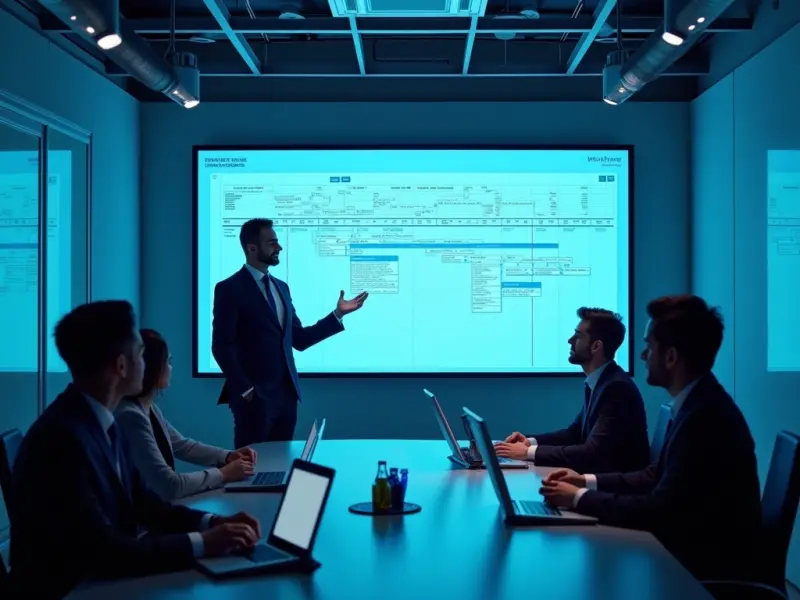
Master SharePoint 2016: A Comprehensive 5-Day Course

Microsoft SharePoint 2016 Complete Training Course Overview
Unlock the full potential of SharePoint with our Microsoft SharePoint 2016 Complete Training Course. Whether you are a developer or an end-user, this comprehensive training covers everything from Microsoft SharePoint overview to Microsoft SharePoint server licensing. Our certified experts offer an in-depth Microsoft SharePoint certification training, emphasizing real-world applications like Microsoft SharePoint contract management and Microsoft SharePoint backup.
Target Audience
- SharePoint Developers
- IT Administrators
- Project Managers
- End-Users Target this course for skill development in Microsoft SharePoint services, Microsoft SharePoint introduction, and Microsoft certified SharePoint developer training.
Targeted Organizational Departments
- IT Department
- Project Management
- Operations
- Legal Departments requiring Microsoft SharePoint overview and Microsoft SharePoint uses would benefit greatly from this training.
Targeted Industries
- Healthcare
- Finance
- Manufacturing
- Legal
- Government Industries facing challenges in data management, compliance, and Microsoft SharePoint server licensing would benefit from this course.
Course Offerings
By the end of the course, participants will be able to:
- Understand Microsoft SharePoint overview and Microsoft SharePoint uses
- Practical training in Microsoft SharePoint online training
- Hands-on Microsoft SharePoint designer training
- Learn Microsoft 365 SharePoint and Microsoft SharePoint backup
Training Methodology
We employ a holistic approach to Microsoft SharePoint 2016 training. Participants engage in interactive sessions, group work, and case studies. Practical lessons in Microsoft SharePoint certification training and Microsoft SharePoint contract management ensure real-world applicability.
Course Toolbox
- Workbook with Microsoft SharePoint overview
- Microsoft lists in SharePoint checklists
- OneDrive for business sync tools
- Microsoft SharePoint services online resources
Course Agenda
Day 1: Getting Started with SharePoint 2016
- Topic 1: Introduction to SharePoint 2016 and its Core Functions
- Topic 2: Overview of Collaboration and Sharing Within Teams
- Topic 3: Understanding Access Control to SharePoint Sites
- Topic 4: Basic Integration of SharePoint with Microsoft Office
- Topic 5: Comparing Different SharePoint Products
- Reflection & Review: Assessing Your Current Familiarity and Goals with SharePoint 2016
Day 2: Navigating and Customizing SharePoint
- Topic 1: How to Navigate Home Pages and SharePoint Sites
- Topic 2: Understanding the Structure of SharePoint Sites
- Topic 3: Customizing Site Navigation
- Topic 4: Working with the SharePoint Ribbon
- Topic 5: Understanding Lists, Libraries, Web Parts, and App Parts
- Reflection & Review: Tips and Tricks for Efficient Navigation
Day 3: Content Management in Lists and Libraries
- Topic 1: Introduction to Lists and Libraries
- Topic 2: Creating and Populating Lists and Libraries
- Topic 3: Version Control and Checking Files in and Out
- Topic 4: How to Organize Content in Lists and Libraries
- Topic 5: Working Offline and Setting Up Alerts
- Reflection & Review: Best Practices for Content Management
Day 4: Advanced Features and Search Capabilities
- Topic 1: Utilizing List and Library Settings
- Topic 2: Managing Permissions and Sharing Content
- Topic 3: Advanced Features like Content Types and Views
- Topic 4: Introduction to SharePoint's Search Functionality
- Topic 5: Tips for Effective Searching and Finding Information
- Reflection & Review: Leveraging SharePoint's Advanced Features
Day 5: Social Features and Personal Spaces
- Topic 1: Introduction to My Site and OneDrive for Business
- Topic 2: Using the Newsfeed Page for Collaboration
- Topic 3: Understanding SharePoint Pages - Web Part Pages, Wiki Pages, Publishing Pages
- Topic 4: Managing and Creating Community and Blog Sites
- Topic 5: Work Task Management in SharePoint
- Reflection & Review: Personalizing Your SharePoint Experience for Maximum Productivity
How This Course is Different from Other Microsoft SharePoint 2016 Training Courses
Our Microsoft SharePoint 2016 Complete Training Course is designed to offer comprehensive knowledge that goes beyond typical Microsoft SharePoint training courses. Not only do we cover basic and advanced features, but we also delve into niche topics like Microsoft SharePoint foundation workflow timer service and OneDrive for business sync. Whether you are preparing for Microsoft SharePoint certification or seeking practical skills in Microsoft SharePoint contract management, this course has it all.
credits: 5 credit per day
Course Mode: full-time
Provider: Agile Leaders Training Center
-
Events for this Course
-
Amsterdam 28 September – 2 October 2026
-
Madrid 28 September – 2 October 2026
-
Dubai 5 – 9 October 2026
-
Kuala Lumpur 5 – 9 October 2026
-
Baku 5 – 9 October 2026
-
Cape town 11 – 15 October 2026
-
Barcelona 12 – 16 October 2026
-
Amman 18 – 22 October 2026
-
London 19 – 23 October 2026
-
Istanbul 26 – 30 October 2026
-
Vienna 26 – 30 October 2026
-
Athens 2 – 6 November 2026
-
Doha 8 – 12 November 2026
-
Paris 16 – 20 November 2026
-
Milan 16 – 20 November 2026
-
Cairo 23 – 27 November 2026
-
Amsterdam 23 – 27 November 2026
-
Madrid 30 November – 4 December 2026
-
Manama 6 – 10 December 2026
-
Kuwait 13 – 17 December 2026
-
London 21 – 25 December 2026
-
Barcelona 21 – 25 December 2026
-
Dubai 28 December 2026 – 1 January 2027
-
Dubai 22 – 26 March 2027
-
Zoom 17 – 21 May 2027
-
Kuala Lumpur 12 – 16 July 2027
-
Sharm El-Sheikh 19 – 23 July 2027
-
Rome 19 – 23 July 2027
-
Vienna 26 – 30 July 2027
-
Amsterdam 2 – 6 August 2027
-
London 9 – 13 August 2027
-
Jakarta 9 – 13 August 2027
-
Manama 15 – 19 August 2027
-
Dubai 16 – 20 August 2027
-
Istanbul 16 – 20 August 2027
-
Tokyo 23 – 27 August 2027
-
Tbilisi 23 – 27 August 2027
-
Casablanca 30 August – 3 September 2027
-
Prague 30 August – 3 September 2027
-
Paris 6 – 10 September 2027
-
Milan 6 – 10 September 2027
-
Johannesburg 12 – 16 September 2027
-
Rome 13 – 17 September 2027
-
Muscat 26 – 30 September 2027
-
Cairo 27 September – 1 October 2027
-
Seoul 27 September – 1 October 2027
| Image | Location | Dates | Duration | Mode | Price | Actions |
|---|---|---|---|---|---|---|

|
London |
Week 52, 2026 21 – 25 December 2026 |
5 Days | Onsite | €5,700 | |

|
Barcelona |
Week 52, 2026 21 – 25 December 2026 |
5 Days | Onsite | €5,700 | |

|
Dubai |
Week 53, 2026 28 December 2026 – 1 January 2027 |
5 Days | Onsite | €4,500 | |
|
|
Dubai |
Week 12, 2027 22 – 26 March 2027 |
5 Days | Onsite | €4,500 | |

|
Zoom |
Week 20, 2027 17 – 21 May 2027 |
5 Days | Online | €1,500 | |

|
Kuala Lumpur |
Week 28, 2027 12 – 16 July 2027 |
5 Days | Onsite | €5,200 | |

|
Sharm El-Sheikh |
Week 29, 2027 19 – 23 July 2027 |
5 Days | Onsite | €4,100 | |

|
Rome |
Week 29, 2027 19 – 23 July 2027 |
5 Days | Onsite | €5,700 | |

|
Vienna |
Week 30, 2027 26 – 30 July 2027 |
5 Days | Onsite | €5,700 | |

|
Amsterdam |
Week 31, 2027 2 – 6 August 2027 |
5 Days | Onsite | €5,700 | |
|
|
London |
Week 32, 2027 9 – 13 August 2027 |
5 Days | Onsite | €5,700 | |

|
Jakarta |
Week 32, 2027 9 – 13 August 2027 |
5 Days | Onsite | €5,700 | |

|
Manama |
Week 32, 2027 15 – 19 August 2027 |
5 Days | Onsite | €4,700 | |
|
|
Dubai |
Week 33, 2027 16 – 20 August 2027 |
5 Days | Onsite | €4,500 | |

|
Istanbul |
Week 33, 2027 16 – 20 August 2027 |
5 Days | Onsite | €4,500 | |

|
Tokyo |
Week 34, 2027 23 – 27 August 2027 |
5 Days | Onsite | €10,000 | |

|
Tbilisi |
Week 34, 2027 23 – 27 August 2027 |
5 Days | Onsite | €5,000 | |

|
Casablanca |
Week 35, 2027 30 August – 3 September 2027 |
5 Days | Onsite | €4,100 | |

|
Prague |
Week 35, 2027 30 August – 3 September 2027 |
5 Days | Onsite | €6,000 | |

|
Paris |
Week 36, 2027 6 – 10 September 2027 |
5 Days | Onsite | €5,700 |
Frequently asked questions
Are training dates available?
Yes. Available dates and destinations are listed in the course dates section on this page.
How can I register?
Choose an available date on this page and complete the registration form, or send a programme enquiry.
Can I download the course brochure?
Yes. Use the brochure download link provided on this page.